
Find your next paper.
Keep your place.
Review arXiv papers from your terminal. Scan abstracts, star promising work, and keep a reading queue with local notes and citation exports.
Start your first reviewOpen source · Python 3.13+ · No AI service required
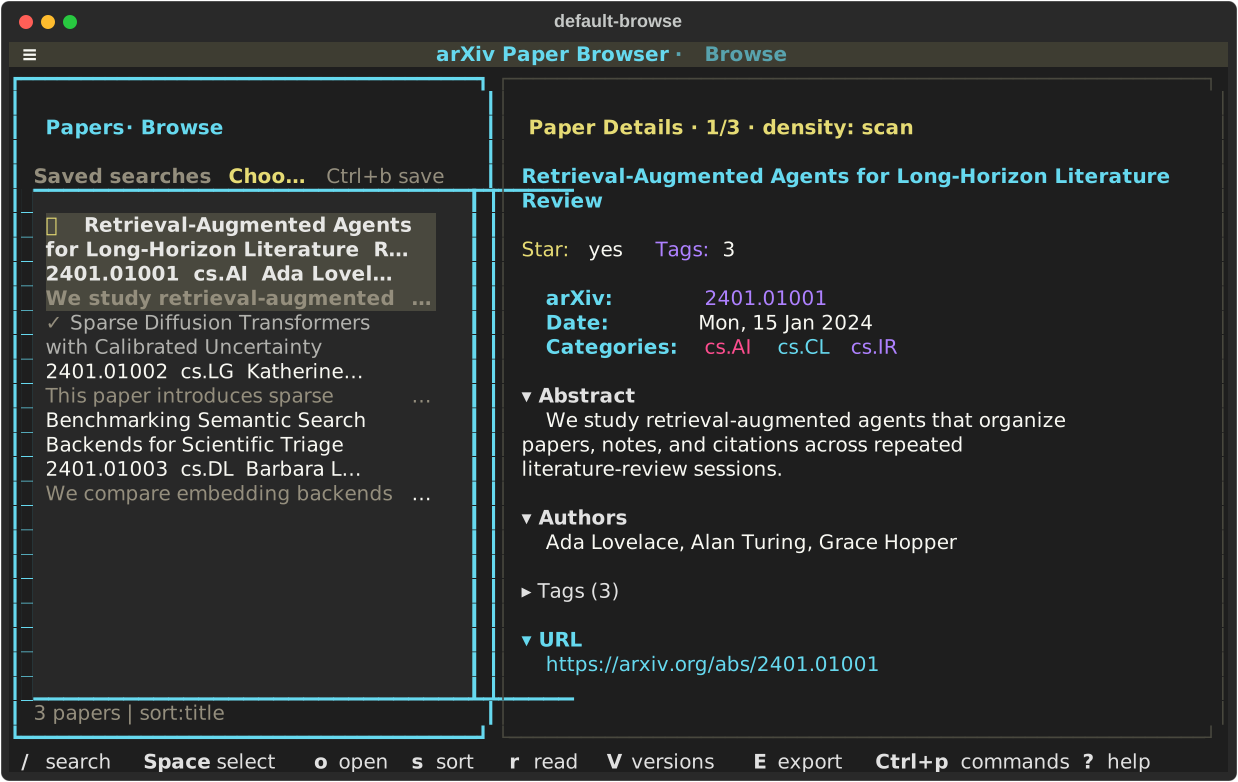
Your first papers,
in two commands.
Start with live search. You need an internet connection and a terminal; no account, API key, or saved email is required.
Already keep an archive? Browse local history.
1. Install the published package
Use uv to keep the tool in its own environment. It can provision the required Python 3.13.
uv tool install --python 3.13 arxiv-subscription-viewer2. Load a small page of recent papers
arxiv-viewer search --category cs.AI --mode page --max-results 20Dismiss the welcome with Enter. You should see up to 20 papers and the selected abstract. Replace cs.AI with your field.
Need pip or help with your shell? Installation alternatives · First-run recovery
From a long list to a short reading queue.
A useful session starts with your own decisions. Research services can wait.
Scan the abstracts
Move with j / k or the arrow keys. Read the selected paper beside the list.
Keep what matters
Press x to star, n to add notes, and r to mark a paper read. Your decisions persist.
Take it into your work
Select with Space, then E to export BibTeX, RIS, or CSV files, or copy Markdown.
Filter loaded papers with / and starred. Press ? for help or Ctrl+p for commands. Keep the cheat sheet nearby.
Your daily emails
have a place here, too.
Save arXiv subscription emails as dated text files in a history/ folder. Launch from its parent directory, move between dates with [ and ], and return to your saved review state.
research/
└── history/
    ├── 2026-01-21.txt
    └── 2026-01-23.txt
From research/:
arxiv-viewer browsePlain-text arXiv email bodies, not generated Markdown. First use opens the newest file; later runs resume the saved date.
Go further,
one task at a time.
Focused guides for the next step in your reading workflow.
Guides open as readable Markdown on GitHub and track development. Check arxiv-viewer keybindings for your installed version.
Local notes. Optional outside context.
The core workflow is yours
Stars, notes, tags, collections, and session state are stored locally. Run arxiv-viewer config-path to find the configuration file. Citation exports and metadata backups let you carry your work elsewhere.
Saved email text works offline. Live search, missing abstracts, PDF downloads, and figure retrieval need the network.
Add research services when useful
Semantic Scholar adds citation context; Hugging Face adds daily-paper signals. Both are disabled by default.
AI summaries and chat require your own configured CLI or HTTP provider. Paper content and prompts go to that provider; a local CLI may still call a hosted service.